UTM Tracking for Social Media: How to Track Facebook, Instagram & LinkedIn Campaigns
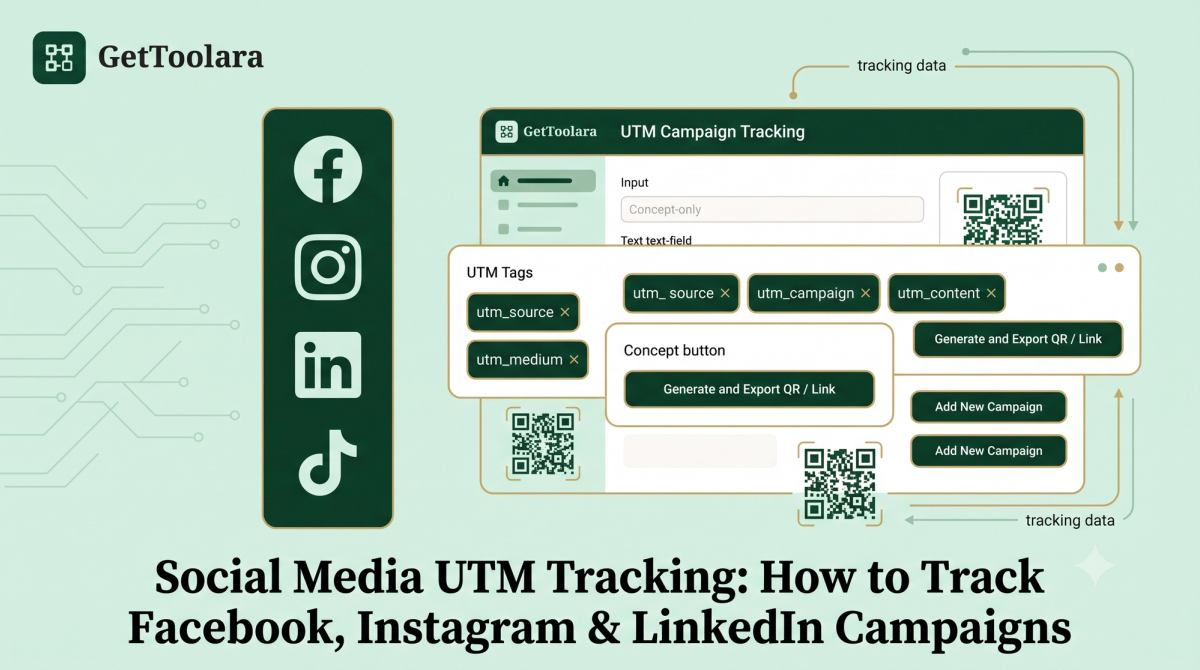
Social media can bring visitors, leads and sales to your website, but simply seeing traffic in Google Analytics doesn't always tell you exactly which campaign or link generated those visits.
For example, you might share the same product page on Facebook, Instagram and LinkedIn. If each link is not properly tagged, it can become difficult to compare the traffic generated by each campaign.
That's where UTM tracking for social media becomes useful.
UTM parameters can add campaign information to your URLs so analytics platforms such as Google Analytics 4 (GA4) can identify information such as the source, medium and campaign associated with a visit.
In this guide, you'll learn how to use UTM parameters for social media, including Facebook, Instagram and LinkedIn, how to create social media tracking links, how to choose UTM values, and which mistakes to avoid.
If you need to create a tracking URL quickly, you can use the GetToolara UTM Builder:
Manual URL creation is slow and prone to errors. Use the free GetToolara UTM Builder to create clean, trackable links for Facebook, Instagram, LinkedIn, and ad campaigns in seconds.
What Is UTM Tracking for Social Media?
UTM tracking is a way of adding campaign parameters to a website URL so you can identify where campaign traffic came from.
A normal URL might look like:
https://example.com/product
A UTM-tagged URL could look like:
https://example.com/product?utm_source=instagram&utm_medium=social&utm_campaign=summer_sale
The extra information after the ? tells your analytics platform about the campaign.
For social media marketing, you can use different UTM values for different platforms and campaigns.
For example:
utm_source=facebook
utm_source=instagram
utm_source=linkedin
This makes it easier to distinguish traffic from different social platforms.
Why Use UTM Parameters for Social Media?
Social media analytics already provide useful information, but your website analytics can provide another layer of campaign information.
UTM tracking can help answer questions such as:
- How much website traffic came from Instagram?
- Which Facebook campaign generated website visits?
- Which LinkedIn campaign sent traffic to a landing page?
- Which social campaign generated the most conversions?
- Did a product launch perform better on one platform than another?
- Which creative or link placement generated traffic?
For businesses running campaigns across several platforms, consistent UTM tracking can make campaign reporting easier to organise.
Google recommends using consistent UTM values because inconsistent naming can fragment campaign reporting. UTM values are also case-sensitive.
The 3 Core UTM Parameters for Social Media
For most social media tracking links, start with these three parameters:
- utm_source
- utm_medium
- utm_campaign
Google recommends using these three core parameters when adding campaign information to URLs.
Let's look at each one.
1. utm_source
The source identifies the platform or source sending the traffic.
Examples:
- tiktok
If you're tracking an Instagram campaign, you might use:
utm_source=instagram
2. utm_medium
The medium identifies the marketing channel.
For example:
- social
- organic_social
- paid_social
The exact convention you choose should be documented and used consistently.
For example, if you decide to use:
- paid_social
- for paid social campaigns, don't randomly switch between:
- paid-social
- social_paid
- and:
- PaidSocial
for the same type of traffic.
Consistency makes your reporting easier to interpret.
3. utm_campaign
The campaign parameter identifies the specific marketing campaign.
For example:
- utm_campaign=summer_sale
- or:
- utm_campaign=product_launch
- or:
- utm_campaign=black_friday_2026
Choose campaign names that will still make sense when you look at your analytics several months later.
How to Create a UTM Link for Social Media
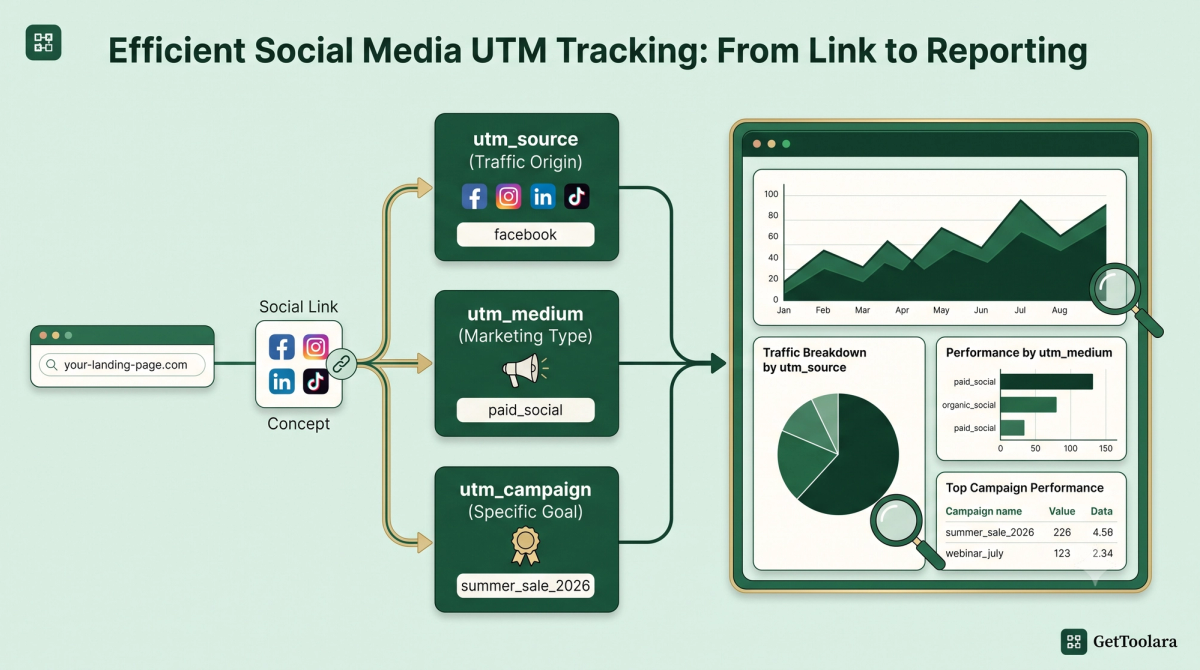
Creating a social media UTM link is straightforward.
Step 1: Choose your landing page
First decide where you want visitors to go.
For example:
https://example.com/summer-sale
Step 2: Choose the source
Identify the platform.
- For Instagram:
- For Facebook:
- For LinkedIn:
Step 3: Choose the medium
Decide whether you're tracking organic social traffic, paid social traffic or another channel.
- For example:
- organic_social
- or:
- paid_social
Step 4: Choose the campaign name
Use a descriptive campaign name.
Example:
summer_sale_2026
Step 5: Add optional parameters if needed
You can add utm_content to distinguish different creatives or links.
Step 6: Generate the URL
Use a UTM builder instead of manually constructing every URL.
With the GetToolara UTM Builder, you can enter your campaign information and generate a trackable URL ready to copy.
Step 7: Test the link
Before publishing your campaign, click the URL yourself and make sure it reaches the correct landing page.
Social Media UTM Cheatsheet
Facebook Paid Ad
utm_source=facebook | utm_medium=paid_social | utm_campaign=summer_sale_2026
Instagram Bio Link
utm_source=instagram | utm_medium=organic_social | utm_campaign=profile_link
LinkedIn Webinar
utm_source=linkedin | utm_medium=organic_social | utm_campaign=webinar_september_2026
TikTok Campaign
utm_source=tiktok | utm_medium=paid_social | utm_campaign=product_launch
Facebook UTM Tracking Example
Suppose a US ecommerce business is promoting a summer collection through Facebook.
The landing page is:
- https://example.com/summer-collection
- A tracking URL could look like:
- https://example.com/summer-collection?utm_source=facebook&utm_medium=paid_social&utm_campaign=summer_collection_2026
Here:
- facebook identifies the source
- paid_social identifies the medium
- summer_collection_2026 identifies the campaign
If you use different Facebook creatives, you could also add:
- utm_content=video_ad
- or:
- utm_content=carousel_ad
- This gives you another level of campaign detail.
Instagram UTM Tracking Example
Imagine an Australian fashion business promoting a new collection on Instagram.
For an organic campaign, the URL might use:
utm_source=instagram
utm_medium=organic_social
utm_campaign=new_collection_2026
The resulting URL could be:
https://example.com/new-collection?utm_source=instagram&utm_medium=organic_social&utm_campaign=new_collection_2026
For a paid Instagram campaign, you could use a paid-social medium instead.
The important part is not copying somebody else's exact naming system. The important part is creating a convention that your business can apply consistently.
LinkedIn UTM Tracking Example
LinkedIn can be particularly useful for B2B businesses, SaaS companies, consultants and professional services.
Suppose a UK SaaS company is promoting a product webinar.
The landing page is:
https://example.com/webinar
A tracking URL could be:
https://example.com/webinar?utm_source=linkedin&utm_medium=organic_social&utm_campaign=webinar_september_2026
If you're promoting the webinar through LinkedIn advertising, your medium could use your paid-social convention instead.
This allows your website analytics to distinguish the campaign from other traffic sources.
Organic Social vs Paid Social UTM Tracking
One important decision is whether your social traffic is organic or paid.
For example, you may decide to use:
Organic social
utm_medium=organic_social
Paid social
utm_medium=paid_social
This can make campaign reports easier to understand.
For example:
Instagram organic
utm_source=instagram&utm_medium=organic_social
Instagram paid
utm_source=instagram&utm_medium=paid_social
Both traffic sources come from Instagram, but they represent different marketing activities.
The key is to choose your convention before launching campaigns and apply it consistently.
How to Track Different Social Media Campaigns
Imagine you're running a single product promotion across three platforms:
You could use the same campaign name while changing the source.
utm_source=facebook&utm_medium=paid_social&utm_campaign=product_launch
utm_source=instagram&utm_medium=paid_social&utm_campaign=product_launch
utm_source=linkedin&utm_medium=paid_social&utm_campaign=product_launch
This creates a consistent structure.
Now you can compare the platforms while keeping the campaign grouped under the same campaign concept.
Using utm_content to Track Different Social Media Creatives
The utm_content parameter can help distinguish different links or creative variations within a campaign.
For example, imagine you're running two Facebook ads:
Video ad
utm_content=video
Carousel ad
utm_content=carousel
The URLs could therefore be:
https://example.com/product?utm_source=facebook&utm_medium=paid_social&utm_campaign=product_launch&utm_content=video
and:
https://example.com/product?utm_source=facebook&utm_medium=paid_social&utm_campaign=product_launch&utm_content=carousel
This can make it easier to distinguish creative variations in campaign reporting.
UTM Tracking for Social Media Bios and Profiles
UTM parameters aren't limited to paid advertisements.
You can also use tagged URLs in appropriate social profile links.
For example, a business might use a UTM-tagged link for its Instagram profile.
A possible structure could be:
utm_source=instagram&utm_medium=organic_social&utm_campaign=profile_link
Similarly, a LinkedIn company page could use:
utm_source=linkedin&utm_medium=organic_social&utm_campaign=company_profile
This can help separate profile traffic from other campaign traffic.
However, don't add UTMs to every internal website link. UTM parameters are primarily useful for identifying external campaign traffic. Adding campaign tags to internal links can overwrite or complicate existing attribution.
Never add UTM parameters to internal website links (e.g., linking from your homepage to a blog post). Doing this resets the visitor's session in Google Analytics and completely destroys your original traffic source data.
How to Use UTM Tracking With GA4
Once a visitor clicks your tagged social media URL and reaches your website, the UTM information can be used by Google Analytics.
Google Analytics documentation explains that UTM campaign information can appear in acquisition reporting, including Traffic acquisition reports.
For example, your campaign URL might contain:
- utm_source=facebook
- utm_medium=paid_social
- utm_campaign=summer_sale
Your GA4 reports can then use those campaign dimensions to help analyse acquisition.
Remember that UTM tracking is only one part of analytics. Your GA4 installation, events, conversions and overall measurement setup also need to be configured correctly.
How to Check Your UTM Campaign Data in GA4
After your campaign starts receiving traffic:
Open Google Analytics 4.
Go to the acquisition reporting area.
Open the Traffic acquisition report.
Review campaign-related dimensions.
Look for the source, medium and campaign values used in your URLs.
Don't expect meaningful campaign data before people actually click your links.
Also remember that analytics data can be affected by consent settings, browser restrictions, redirects, platform behaviour and other measurement limitations.
UTM Naming Convention for Social Media
A consistent naming convention is one of the most important parts of UTM tracking.
Here is a simple structure you can adapt:
Source
Use the platform name:
Medium
Use a consistent channel classification:
- organic_social
- paid_social
Campaign
Use a descriptive campaign:
- summer_sale_2026
- product_launch_2026
- webinar_september_2026
Content
Use a meaningful creative identifier:
- video
- carousel
- image_01
This gives you URLs that are easier to understand later.
Should UTM Values Be Uppercase or Lowercase?
UTM values are case-sensitive.
- That means:
and:
- can be treated as different values.
- For that reason, many marketing teams use lowercase values consistently.
For example:
Use:
- utm_source=facebook
- instead of mixing:
and:
- Google specifically notes that parameter values are case-sensitive and recommends consistent naming.
GA4 is strictly case-sensitive. It will count Facebook, facebook, and FACEBOOK as three separate traffic sources. Always standardize all your UTM parameters in lowercase to keep your reporting clean and consolidated.
Common UTM Tracking Mistakes on Social Media
1. Using different names for the same platform
Don't randomly switch between:
and:
- fb
- unless your tracking strategy intentionally treats them differently.
2. Using inconsistent mediums
If your team uses:
paid_social
in one campaign and:
social_paid
in another, reporting can become fragmented.
Choose one convention.
3. Creating campaign names nobody understands
Avoid names like:
- campaign1
- test
- new
- Use descriptive names instead.
4. Forgetting to test campaign links
A small typo in a URL can send visitors to the wrong page.
Always test important campaign links before publishing them.
5. Tagging internal website links
Don't use campaign UTMs on ordinary internal navigation unless you have a specific measurement reason.
Internal UTM tagging can interfere with the original campaign attribution.
6. Putting sensitive information in UTM parameters
Never use UTMs to put private customer information into URLs.
Campaign parameters should contain marketing-related identifiers, not sensitive personal information.
7. Changing your naming system every month
A consistent system is much easier to analyse than constantly changing conventions.
Document your rules and share them with anyone creating campaign links.
UTM Tracking for Small Businesses
You don't need a large marketing department to use UTM tracking.
A small business can use UTMs to organise traffic from:
- Facebook posts
- Instagram campaigns
- LinkedIn content
- Email newsletters
- Paid social ads
- Influencer campaigns
- Partner promotions
- Event campaigns
For example, a local UK service business could track traffic from an Instagram promotion separately from a Facebook campaign.
An Australian ecommerce business could use separate campaign values for seasonal promotions.
A US SaaS company could use UTM parameters to compare LinkedIn campaigns with paid social campaigns.
The strategy stays the same:
Create consistent tracking links → use them in campaigns → analyse the resulting traffic.
UTM Tracking for Agencies and Marketing Teams
Agencies often manage multiple campaigns for multiple clients.
Without a documented naming system, campaign data can quickly become inconsistent.
A simple UTM standard can define:
- approved source names
- approved medium names
- campaign naming format
- content naming format
- lowercase rules
- who is responsible for creating campaign URLs
This can make reporting easier when multiple people are creating links.
A UTM builder can also reduce the need to manually construct long URLs.
UTM Builder vs Manually Creating Social Media Links
You can manually add UTM parameters to any URL.
For example:
https://example.com?utm_source=instagram&utm_medium=organic_social&utm_campaign=summer_sale
But manually creating dozens of campaign URLs can become repetitive.
A UTM builder provides a simpler workflow:
- Enter the landing page.
- Enter the source.
- Enter the medium.
- Enter the campaign.
- Add optional parameters.
- Generate the URL.
- Copy and test it.
For marketers managing several campaigns, this can reduce repetitive work and help maintain consistent formatting.
Create Social Media UTM Links With GetToolara
If you need to create a UTM tracking link for Facebook, Instagram, LinkedIn or another marketing campaign, you can use the GetToolara UTM Builder.
Enter your destination URL and campaign information, generate the tracking URL, and copy it into your campaign.
For a complete introduction to UTM parameters and campaign URLs, you can also read our related guide:
Create Trackable Campaign URLs for GA4
Frequently Asked Questions
What is UTM tracking in social media?+
What UTM parameters should I use for social media?+
What should I use for utm_source on Instagram?+
What should I use for Facebook UTM tracking?+
What should I use for LinkedIn UTM tracking?+
Can I use UTM parameters for organic social media?+
Can UTM tracking show which social media campaign generated traffic?+
Do UTM links affect SEO?+
Are UTM parameters case-sensitive?+
Can I create social media UTM links for free?+
Ready to put this into practice? Create your Free UTM Builder